
Quick answer
LBTimer is known as a browser-based timer for rating work. RH Monitor is different: it is a Mac menu bar tracker for people who want private local records and a smaller desktop surface. Choose based on workflow, privacy preferences, and allowed work rules.
| Fit | Use this page to decide |
|---|---|
| Best for |
|
| Not for |
|
What comparison shoppers usually care about
Most people comparing timer tools care about five things: where the timer lives, what records it keeps, whether it exports data, how private the storage feels, and whether the product stays inside a safe companion boundary.
RH Monitor is strongest when the answer should be “on my Mac, in the menu bar, with local history and CSV export.”
Browser-first vs Mac-first workflow
A browser-first tool can be convenient when you want the timer in the same place as the work tab. A Mac-first tool is better when you want the persistent signal at system level and the detailed records in a desktop app.
The RH Monitor menu bar dot is deliberately small. The dashboard opens only when you want history, charts, editing, earnings, or export.
Cloud sync vs local-first records
Some tools emphasize account sync or cloud storage. RH Monitor emphasizes local-first history on your Mac. That distinction matters if privacy is a deciding factor in your tracker choice.
Local-first does not mean you should ignore backups. It means the working history is not designed around uploading task records to an external dashboard.
Clear product boundary
RH Monitor does not submit tasks, complete ratings, or change task content. It tracks status and work metadata for your own records.
That boundary is central to the product, not fine print. It is one reason the public copy avoids claims about changing task flow or availability.
Decision checklist before switching tools
Before choosing an LBTimer alternative, write down what you actually need from the tracker. If the answer is “a browser timer near the work page,” a browser-first tool may fit. If the answer is “a Mac status dot, local history, paid versus actual time, and exportable records,” RH Monitor is closer to that workflow.
Also check the trust boundary. A good tracker should make its limits easy to understand: what is stored, what is exported, what never leaves the device, and what the product will not do. RH Monitor’s public boundary is intentionally plain so comparison shoppers do not have to infer it from feature names.
Comparison and decision table
| Need | LBTimer-style browser tool | RH Monitor |
|---|---|---|
| Main surface | Browser extension / browser-adjacent dashboard. | Mac menu bar app with local Tracker window. |
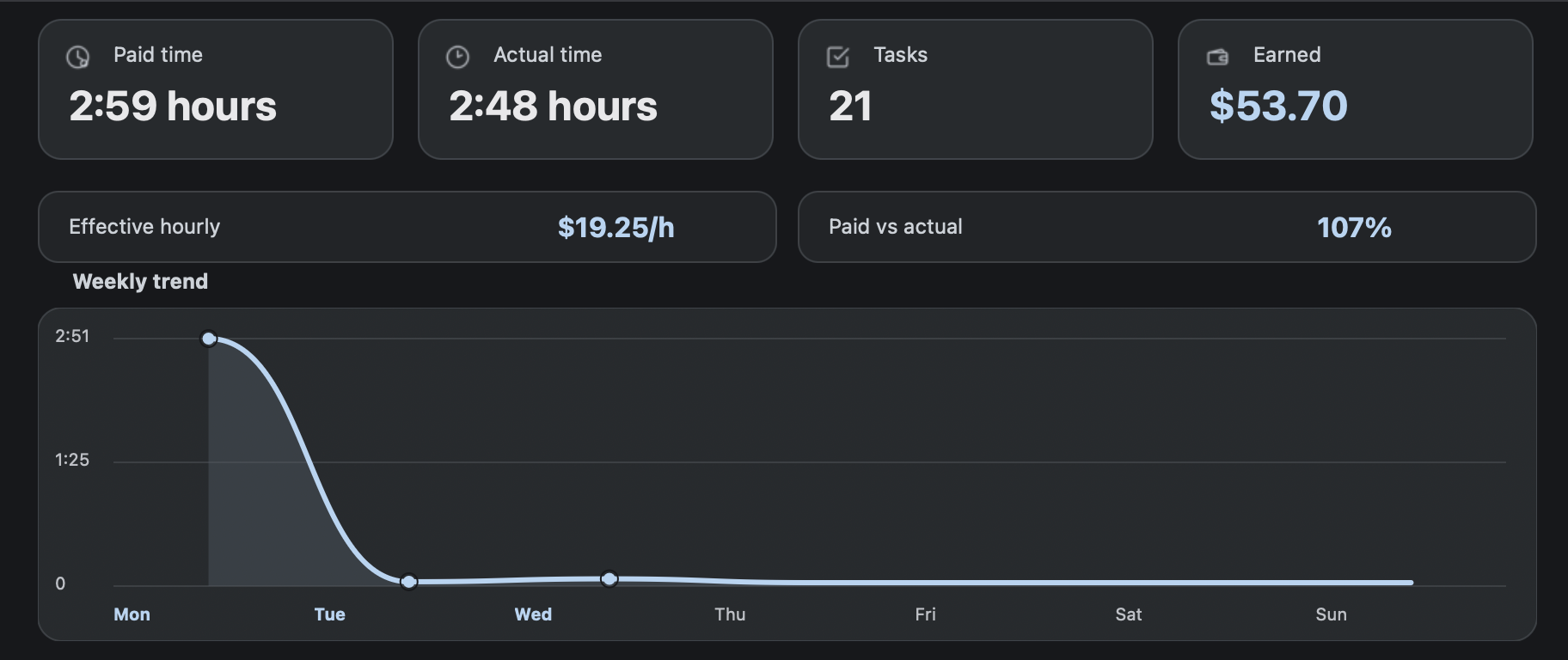
| Records | Tool-dependent timer/task records. | Task count, paid time, actual time, earnings, sessions, charts, CSV in Tracker Pro. |
| Privacy posture | Depends on account/storage model. | Local-first work history; no task content in tracker records. |
| Mac workflow | Runs through browser surface. | Native macOS menu bar status. |
| Best fit | Users who prefer browser-based timing. | Users who prefer a private desktop tracker. |
Competitor-neutral comparison checklist
Use the same checklist for any tracker you compare. The point is not to copy another tool’s feature list; it is to choose the storage model, workflow surface, and boundary that fit your work rules.
| Question | Why it matters | RH Monitor answer |
|---|---|---|
| Where does the main surface live? | Browser tools stay near the work tab; desktop tools separate work from records. | Mac menu bar status plus local Tracker window. |
| What gets stored? | A tracker should not need task content to produce useful records. | Work metadata: status, task count, paid time, actual time, earnings, sessions, CSV. |
| Can I export? | Export makes your history portable and reviewable. | CSV export in Tracker Pro. |
| Can mistakes be corrected? | Real work logs need editing without deleting the whole history. | Editable local history in Tracker Pro. |
| What does it never do? | The product boundary should be obvious before install. | Does not submit tasks, complete ratings, or change task content. |
Trust signals and source of truth
RH Monitor’s SEO guides are written from the product’s actual feature boundary: private Mac menu bar status, local Tracker Pro history, paid vs actual time, earnings, CSV export, and no task-content storage.
FAQ
Is RH Monitor the same as LBTimer?
No. It is an independent Mac menu bar tracker with its own local-first workflow.
Why choose RH Monitor as an LBTimer alternative?
Choose it if you want Mac-native status, local history, earnings, charts, editing, and CSV export outside the browser UI.
Does RH Monitor copy browser-tool behavior?
No. RH Monitor is framed as a passive tracking and status companion.
Does RH Monitor store task content?
No. It stores work metadata for your own records, not task text or screenshots.
Can I try it free?
Yes. The free plan includes the status dot, browser connection, and RaterHub shortcut. Tracker Pro unlocks history and exports.