Quick answer
If you need a RaterHub time tracker, you usually need two things at once: a small live signal while working and a reliable history afterward. RH Monitor keeps the live surface in the macOS menu bar and keeps the detailed records local on your Mac.
| Fit | Use this page to decide |
|---|---|
| Best for |
|
| Not for |
|
Workflow proof: from status to CSV
The time tracker workflow is intentionally simple: status dot, active task timing, completed local history, and CSV export. This keeps the work page separate from the private work record.
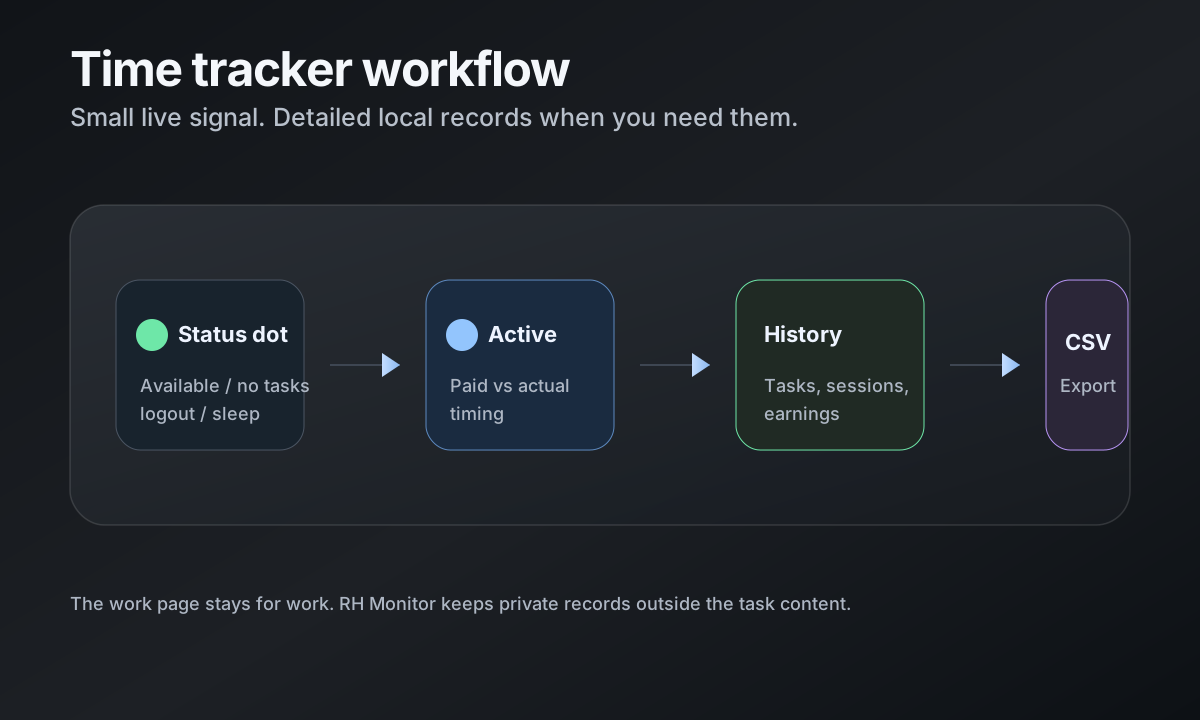
Session workflow: from status dot to history
RH Monitor starts with a small status dot in the menu bar. When the browser connection reports availability or an active task, the menu can show the current state without pulling you into a large interface. When a task finishes, Tracker Pro can preserve a local history entry.
A typical workflow is: check the dot, work normally, let the task timer capture paid versus actual time, then review the day later in the Tracker window. You can use the dashboard when you want detail and ignore it when you are focused.
What gets tracked
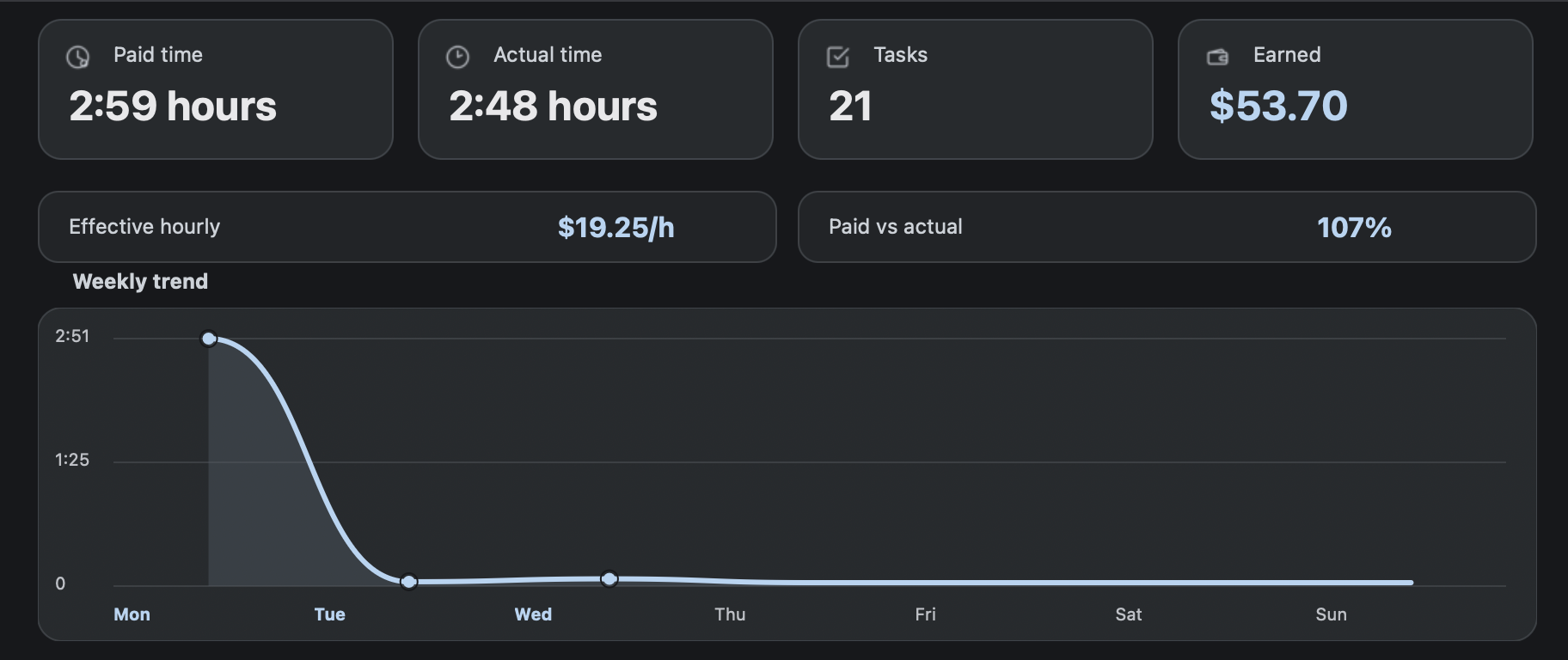
The tracker focuses on work metadata: task count, paid time, actual time, hourly rate, currency, estimated earnings, sessions, and CSV export. Those fields are enough to understand your workday without saving task content.
Hourly rate and currency settings make the same history useful for earnings estimates. CSV export lets you keep a copy for your own spreadsheet, backup, or monthly review.
How this differs from a browser timer
A browser timer usually lives near the work page. That can be convenient, but it also means the timer surface competes with the tab where you are trying to work. RH Monitor keeps the persistent signal in the Mac menu bar and uses the desktop app for history.
That separation is the product wedge: task status and time records without turning the task tab into a full dashboard. It is especially useful if you prefer one small system-level signal instead of several browser controls.
Private local work history
RH Monitor is built around local records. Tracker history stays on your Mac, and telemetry is limited to privacy-safe app/product events when enabled. Work history, earnings, notes, screenshots, task content, cookies, and browser URLs are not sent as analytics.
The result is a time tracker that is useful for your own records while preserving a clear boundary around work material.
Comparison and decision table
| Tracked field | Why it matters | Where it appears |
|---|---|---|
| Task count | Shows volume for a day, week, month, or year. | Tracker dashboard and history. |
| Paid time | Uses the paid estimate so earnings and totals are consistent. | Cards, charts, CSV. |
| Actual time | Shows how long the work really took. | Paid vs actual views and charts. |
| Hourly rate + currency | Turns paid time into an estimated earnings view. | Settings, dashboard, CSV. |
| CSV export | Lets you keep a portable copy. | Tracker Pro export. |
Trust signals and source of truth
RH Monitor’s SEO guides are written from the product’s actual feature boundary: private Mac menu bar status, local Tracker Pro history, paid vs actual time, earnings, CSV export, and no task-content storage.
FAQ
Is RH Monitor a RaterHub time tracker or a general stopwatch?
It is built for RaterHub-style work records: task count, AET context, paid time, actual time, earnings, sessions, and history.
Does the tracker need to store task content?
No. The useful record is metadata about your own time, not the task page content.
Can I use it for weekly or monthly reviews?
Yes. Tracker Pro includes day, week, month, year, charts, editable history, and CSV export.
Does it replace my required timesheet?
No. Treat RH Monitor as your private work-history companion. Use your official reporting process as required.
Is the free plan enough for basic status?
Yes. The free plan includes the menu bar status dot, browser connection, and RaterHub shortcut. Tracker Pro unlocks history and exports.