Quick answer
If you searched for a RaterHub task timer, the practical need is usually simple: keep a clear record while you work without rebuilding your day afterward. RH Monitor is built for that record-keeping job on macOS. It does not submit tasks, complete ratings, or change task content.
| Fit | Use this page to decide |
|---|---|
| Best for |
|
| Not for |
|
Original timer visuals
These visuals summarize the first-hand RH Monitor timing model: a small menu bar status signal, a local task-ready state, and a clear split between target time and paid time.
What a RaterHub task timer needs that a stopwatch misses
A normal stopwatch can tell you how long something took. It cannot tell you whether the task counted as eight paid minutes, nine paid minutes, or a different estimated window. It also cannot connect that task to your day, your week, your hourly rate, or your exported records.
For RaterHub-style work, the important record is usually a bundle: task count, AET or estimated paid time, actual elapsed time, completed session, and enough history to review later. RH Monitor keeps that bundle together so the timer does not become another manual spreadsheet chore.
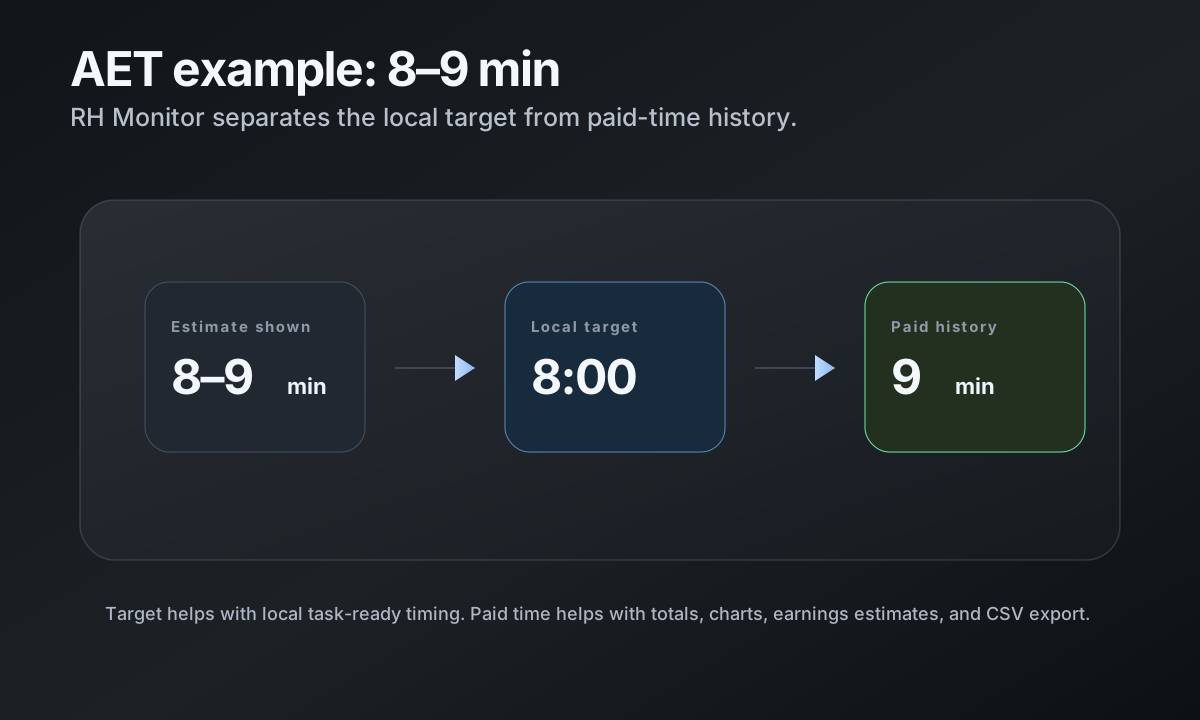
Concrete AET example: 8–9 min means target 8:00 and paid 9 min
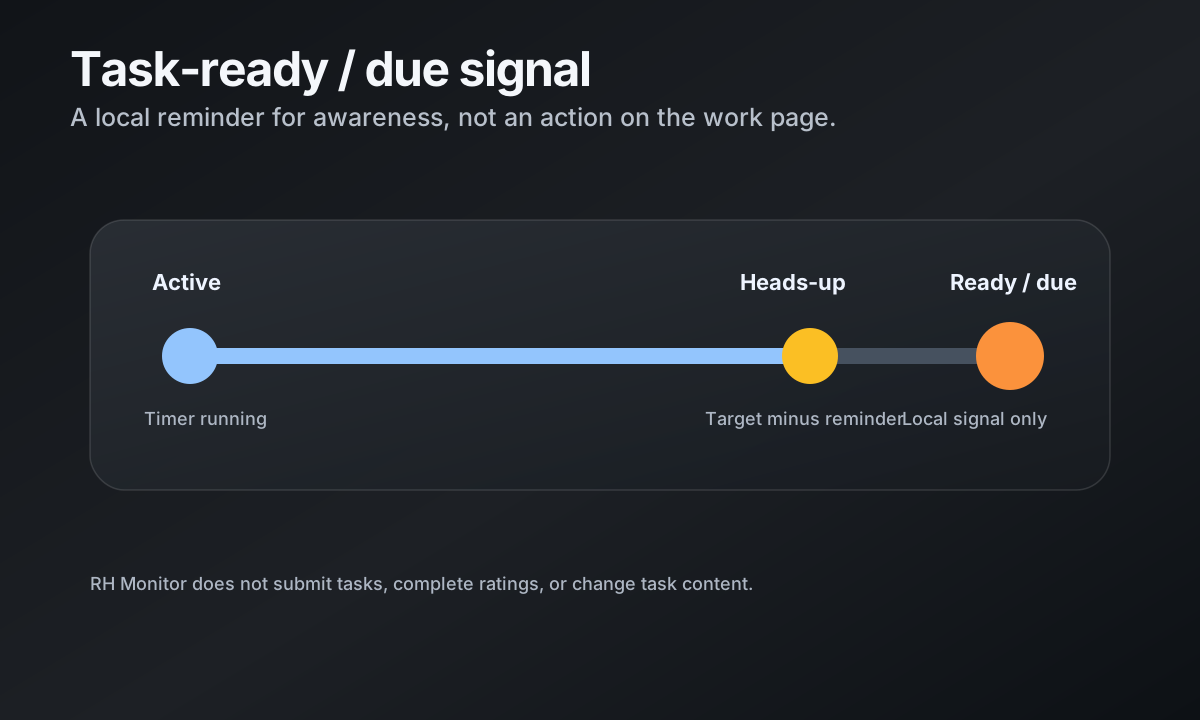
When a task estimate appears as an 8–9 minute window, RH Monitor treats the lower end as the practical target and the upper end as paid time. In that example, the task-ready target is 8:00 and the paid-time record is 9 minutes.
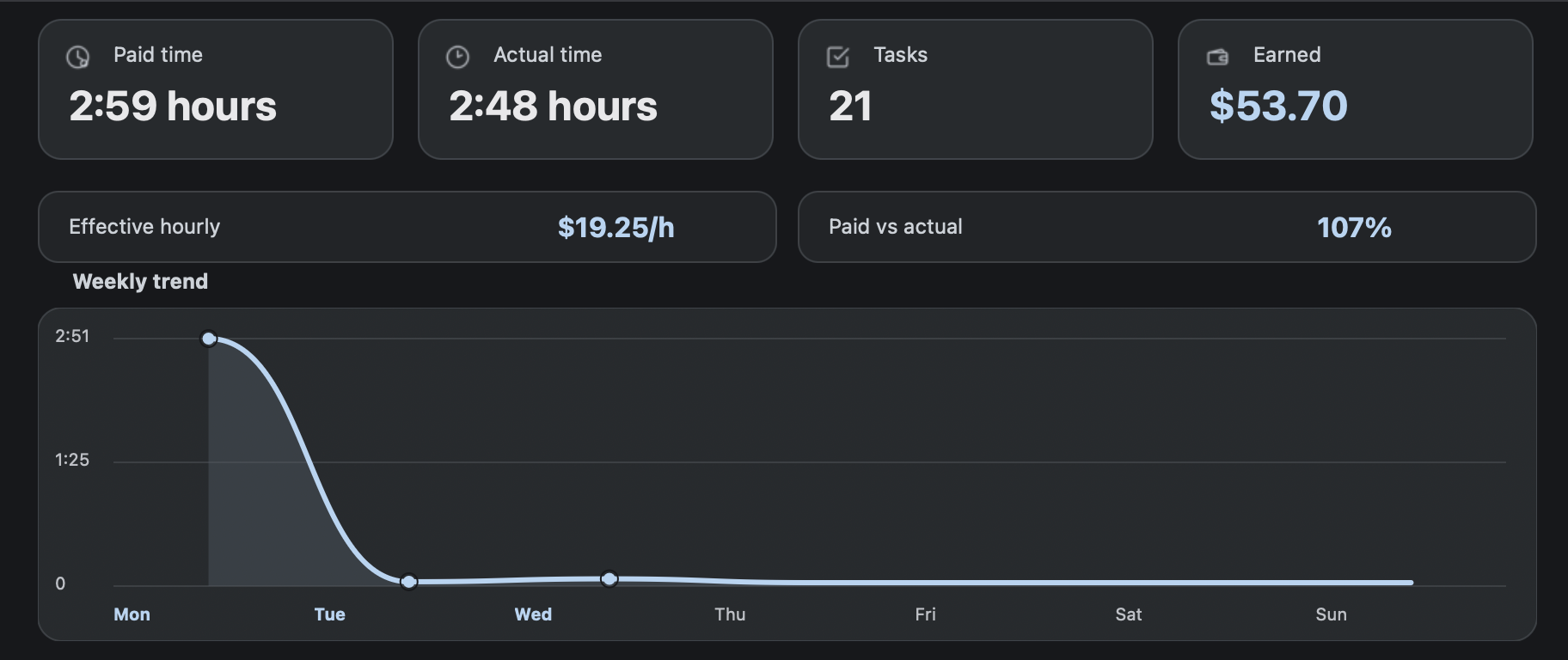
That distinction matters because paid time and actual time answer different questions. Paid time helps estimate earnings and totals. Actual time shows how long you really spent. Seeing both side by side makes daily records easier to trust.
Status dot and task-ready signal
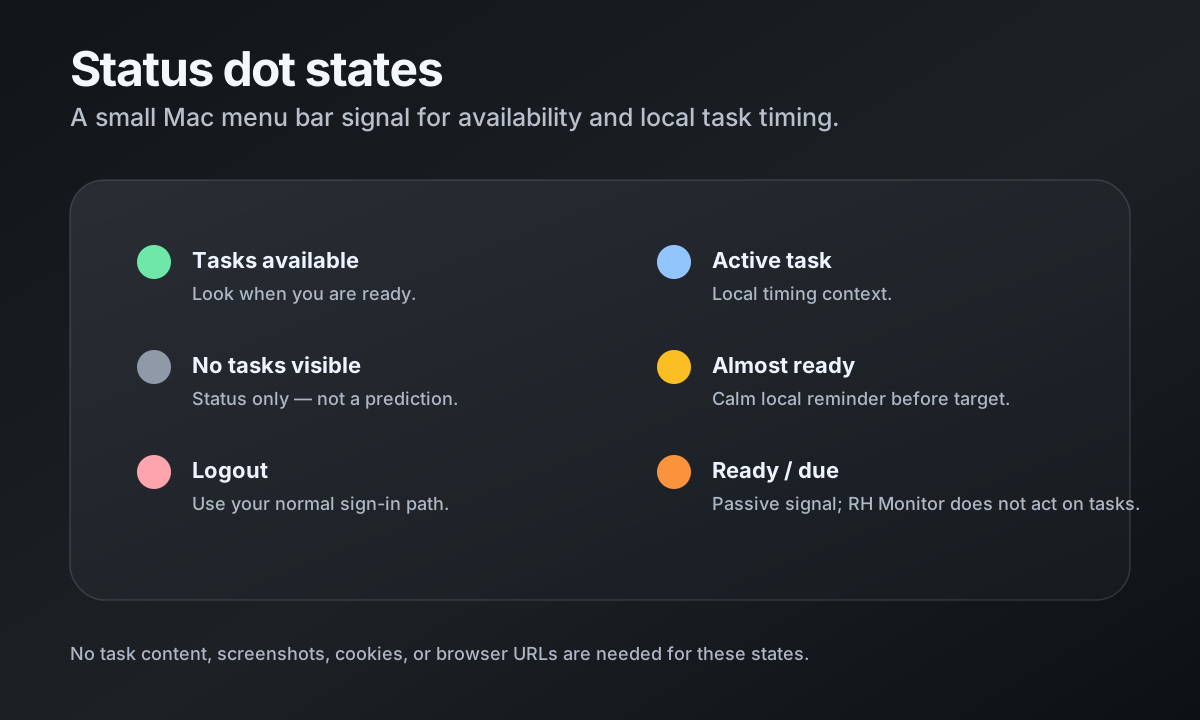
The menu bar dot stays intentionally small. It can show task availability, no tasks, logout, sleep, or active-task timing states without forcing you to keep a full dashboard open.
For active tasks, RH Monitor can move through calmer timing states and then mark the task-ready/due moment locally. The reminder is passive: it is a local signal for your awareness, not a task action.
Timer records that survive the end of the day
Completed tasks can become local history with task count, paid minutes, actual seconds, estimated earnings, and session grouping. Tracker Pro also unlocks charts, editable history, and CSV export so your own records are not trapped in a daily mental note.
The goal is not to make the work page busier. The goal is to let the work page stay focused while your Mac keeps a private record outside the task content.
Comparison and decision table
| Option | What it tracks well | What it misses | Best fit |
|---|---|---|---|
| Stopwatch | Elapsed time for one session. | No AET, task count, earnings, history, or export unless you add it manually. | One-off timing checks. |
| Spreadsheet | Flexible manual records and formulas. | Easy to forget during work; no menu bar status or task-ready signal. | People who prefer manual logging. |
| Browser extension | Can sit close to the work tab and show timer state. | May feel too tied to the browser; privacy and permission model depends on the extension. | Users who prefer browser-based tools. |
| RH Monitor | Menu bar status, AET context, paid vs actual time, earnings, local history, charts, and CSV export. | Mac-focused; not a task-completion tool. | Mac users who want private local tracking. |
Trust signals and source of truth
RH Monitor’s SEO guides are written from the product’s actual feature boundary: private Mac menu bar status, local Tracker Pro history, paid vs actual time, earnings, CSV export, and no task-content storage.
FAQ
Does RH Monitor submit RaterHub tasks?
No. RH Monitor does not submit tasks, complete ratings, or change task content. It is a tracking and status companion for your own records.
Does RH Monitor store task content?
No. The public product boundary is simple: no screenshots, no task text, no task IDs, no cookies, and no browser URLs in tracker history.
Can I export my tracked time?
Yes. Tracker Pro includes CSV export for local work history, including task count, paid time, actual time, estimated earnings, and dates.
Does it work on Mac?
Yes. RH Monitor is a macOS menu bar app. The free plan includes the status dot and browser connection; Tracker Pro adds full history and exports.
Can I edit a mistaken entry?
Yes. Tracker Pro includes editable local history so you can correct your own records without deleting the full tracker file.