Quick answer
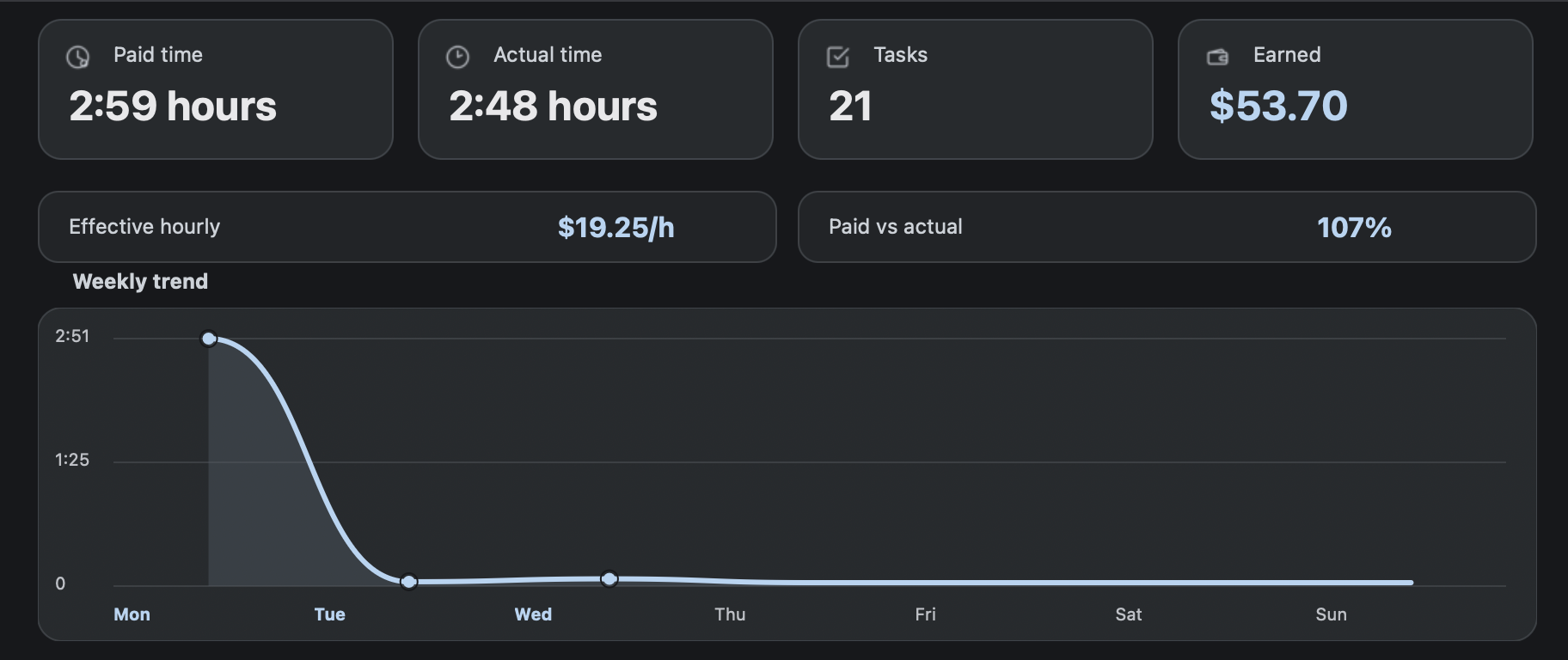
A RaterHub task counter answers “how many tasks did I complete?” RH Monitor goes further by connecting that count to paid time, actual time, and estimated earnings so the number is useful at the end of the day.
| Fit | Use this page to decide |
|---|---|
| Best for |
|
| Not for |
|
Why task count alone is not enough
Task count is a good start, but it does not tell you whether a day was short, long, efficient, or valuable. Ten tasks can mean very different things depending on the paid-time estimates and actual time spent.
RH Monitor treats task count as one part of a fuller record: count, paid time, actual time, earnings, and sessions.
Review day, week, month, and year
Tracker Pro lets you review different periods so task count is not trapped in a single day. This helps when you want to spot trends or prepare your own monthly summary.
The period views are especially useful when combined with charts and CSV export.
Editing and corrections
Manual mistakes happen. Maybe you stopped at the wrong time or need to correct a local entry. Editable history lets you fix your own tracker data while preserving the rest of the record.
Corrections should stay focused on metadata. Do not add task content or private work material to notes.
Export when you need a spreadsheet
CSV export turns your task count history into a portable file. You can use it for personal backup, spreadsheet review, or monthly summaries.
That makes RH Monitor useful even for spreadsheet people: use the app during work, export when you want spreadsheet control.
Counting with context
The best task counter is not just a number that increments. It should help you answer follow-up questions: how much paid time did those tasks represent, how long did they actually take, what did the day earn by your estimate, and which sessions made up the total?
That is why RH Monitor connects counting to the rest of Tracker Pro. A day with 20 short tasks and a day with 20 heavier tasks can feel completely different. Counting with paid time, actual time, and earnings keeps the number meaningful.
A good counter also reduces end-of-day friction. Instead of asking “how many tasks did I do?” and searching through memory, you can review the count alongside the time and earnings context. That makes the tracker useful even on ordinary days.
For that reason, task counting is treated as a Tracker Pro history feature, not just a badge.
Comparison and decision table
| Counter type | What it tells you | What it misses |
|---|---|---|
| Manual tally | Number of tasks. | Time, earnings, sessions, export. |
| Spreadsheet counter | Count plus formulas if maintained. | Live status and easy capture. |
| Generic timer | Elapsed time. | Task count and AET context. |
| RH Monitor | Task count, paid time, actual time, earnings, history, CSV. | Mac-focused app, not a work platform. |
Trust signals and source of truth
RH Monitor’s SEO guides are written from the product’s actual feature boundary: private Mac menu bar status, local Tracker Pro history, paid vs actual time, earnings, CSV export, and no task-content storage.
FAQ
Does RH Monitor count tasks?
Yes. Tracker Pro keeps local task counts and period totals.
Can I see counts by week or month?
Yes. Tracker Pro includes day, week, month, year, charts, and history views.
Does task counting store task text?
No. Counting is based on work metadata, not task content.
Can I export task counts?
Yes. CSV export is included in Tracker Pro.
Is the task counter free?
The live status dot is free. Task history, counts, charts, and CSV export are part of Tracker Pro.