Quick answer
A private RaterHub tracker should be explicit about what it stores. RH Monitor keeps local work metadata such as time, task count, and earnings. It does not store task content, screenshots, cookies, account details, or browser URLs in tracker history.
| Fit | Use this page to decide |
|---|---|
| Best for |
|
| Not for |
|
Track metadata, not task content
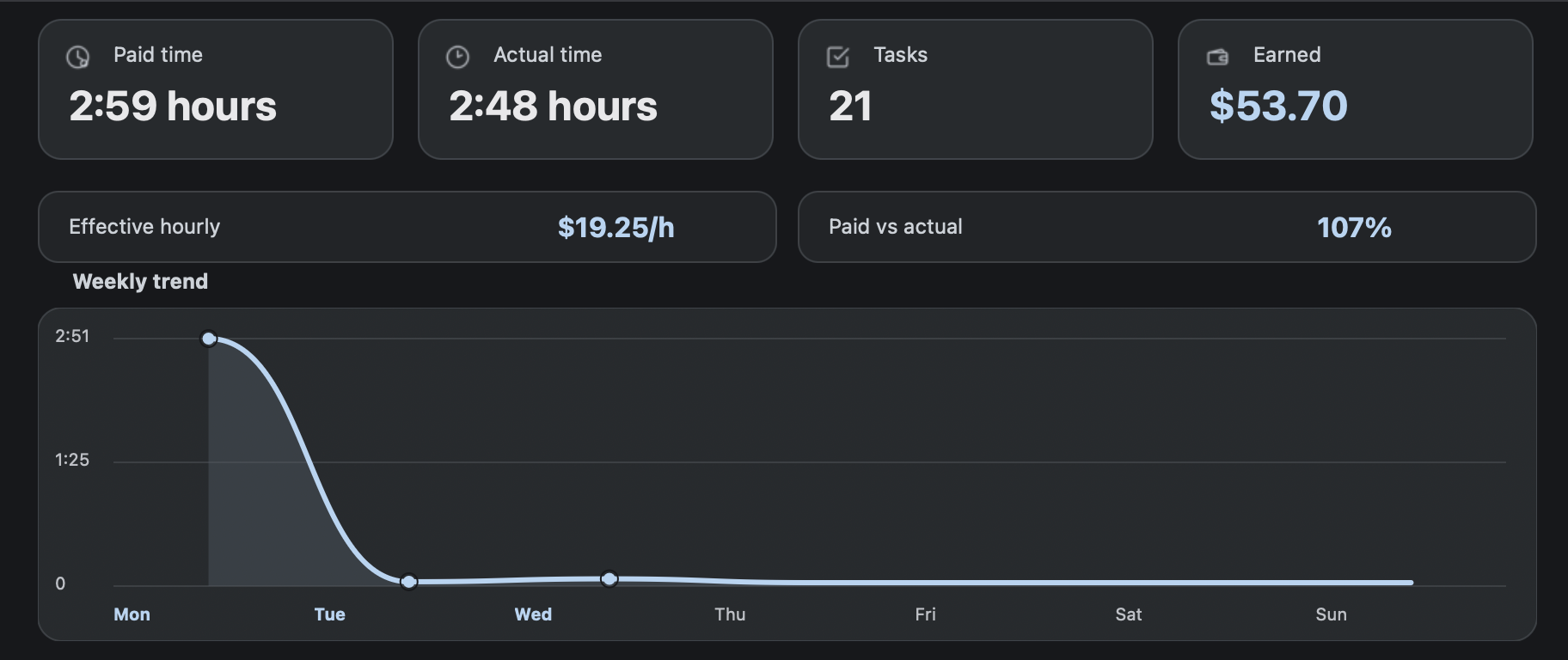
The useful private record is not the task itself. It is when you worked, how many tasks you completed, how paid time compared with actual time, and what the estimated earnings looked like.
RH Monitor is designed around that distinction. The tracker history is for your work records, not for saving task material.
Local files on your Mac
Tracker history is local-first. That makes the product feel more like a personal work log than a shared dashboard. You remain responsible for your own backups and for following your work rules.
License checks and privacy-safe analytics are separate from work history. App telemetry does not include task history, earnings, notes, task content, screenshots, cookies, or browser URLs.
Low-information notifications
External notifications are deliberately plain: YES, NO, LOGOUT, or SLEEP. Local sound files stay local and are not uploaded.
This keeps notifications useful without turning them into a leak of work context.
Independent product disclaimer
RH Monitor is independent and not affiliated with RaterHub, Google, TELUS, or any rating platform. Use it only if allowed by your work or platform rules.
The product does not submit tasks, complete ratings, or change task content.
Privacy checklist for any RaterHub tracker
Before trusting any tracker, ask five questions. Does it need task content? Does it store screenshots? Does it send work history outside your device? Are notifications readable by someone else? Can you export or delete your own local records? These questions matter more than a vague privacy promise.
RH Monitor’s answers are intentionally narrow. The useful tracker record is time, status, count, paid minutes, actual minutes, estimated earnings, and local history. Task text, screenshots, cookies, account details, and browser URLs are outside the tracker boundary. That makes the product easier to reason about and easier to explain.
This privacy model is also easier to communicate to nontechnical users. You do not need to understand servers or databases to understand the promise: RH Monitor keeps the work log on your Mac and avoids collecting the sensitive parts of the task page.
If privacy is your deciding factor, start with this page before reading the feature guides.
The same boundary appears across the product, settings, notifications, and export flow.
Comparison and decision table
| Data type | Stored in tracker history? | Why |
|---|---|---|
| Task count, paid time, actual time | Yes, locally. | Needed for your work records. |
| Estimated earnings | Yes, locally. | Derived from paid time and hourly rate. |
| Task content or screenshots | No. | Not needed for private time tracking. |
| Cookies or account data | No. | Outside the product boundary. |
| External notification text | Only simple status words. | Keeps alerts low-information. |
Trust signals and source of truth
RH Monitor’s SEO guides are written from the product’s actual feature boundary: private Mac menu bar status, local Tracker Pro history, paid vs actual time, earnings, CSV export, and no task-content storage.
FAQ
Is RH Monitor local-first?
Yes. Tracker work history is local-first on your Mac.
What does RH Monitor not store?
It does not store task content, screenshots, cookies, account details, or browser URLs in tracker history.
Are sounds uploaded?
No. Custom sound files are local only.
Does telemetry include work history?
No. Privacy-safe app telemetry excludes task content, history, earnings, notes, screenshots, cookies, and browser URLs.
Where can I read more?
See the RH Monitor privacy page linked in the site navigation.