Quick answer
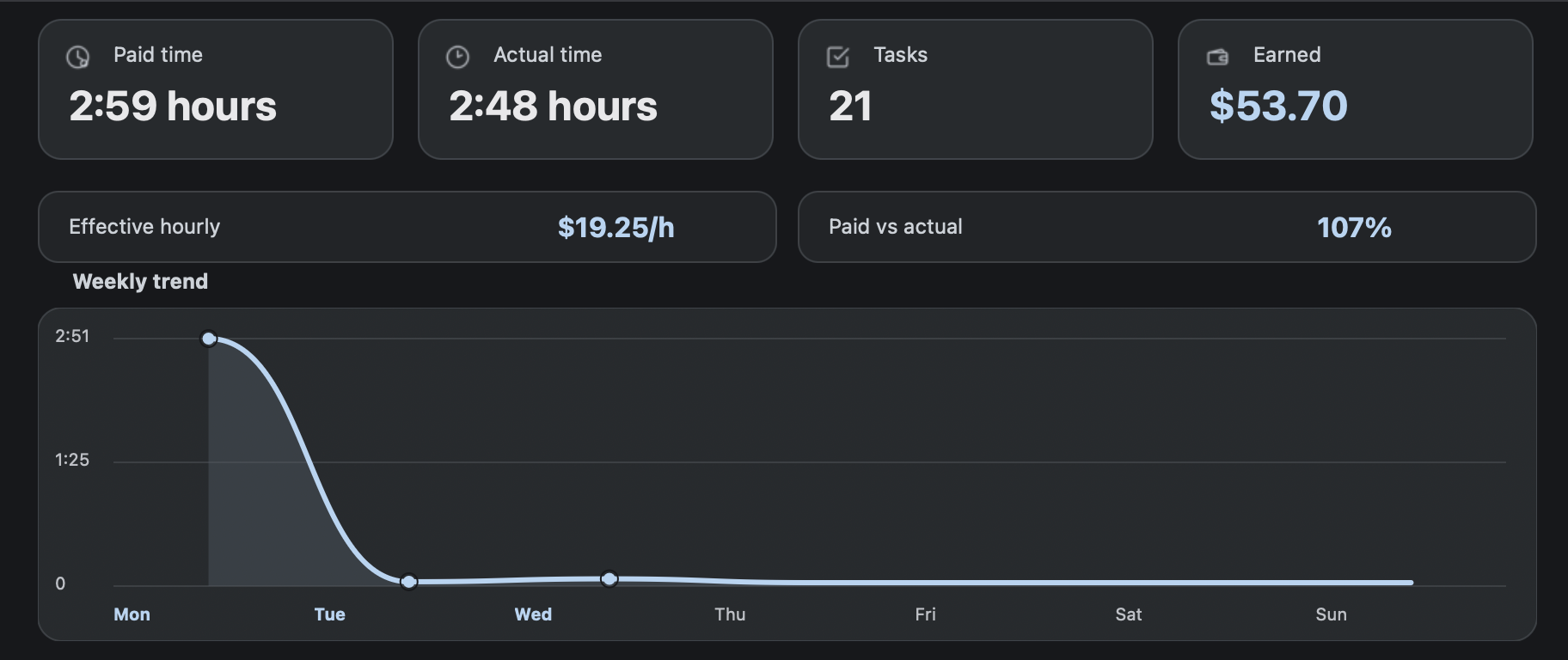
A RaterTracker alternative for Mac should feel native on macOS. RH Monitor lives in the menu bar, keeps work history local, and focuses on status, AET, paid time, actual time, task count, earnings, and CSV export.
| Fit | Use this page to decide |
|---|---|
| Best for |
|
| Not for |
|
Why Mac users need a clear option
Many rating-work trackers are browser-first, Windows-first, or built around older workflows. Mac users often just want a small native signal, a clean dashboard, and records that stay on the device.
RH Monitor is designed for that lane. It does not try to become a task page. It stays in the menu bar and opens details only when needed.
What RH Monitor tracks
Tracker Pro records task count, paid time, actual time, estimated earnings, sessions, and editable history. It also provides charts and CSV export so the record can survive beyond the app.
The free plan still provides the core status dot and RaterHub shortcut for users who do not need full history yet.
Privacy and independence
RH Monitor is independent and not affiliated with RaterHub, Google, TELUS, or any rating platform. The tracker does not store task content, screenshots, cookies, or browser URLs in history.
That privacy boundary should be part of your product decision. A tracker is only useful if you understand what it records and what it avoids.
The boundary stays simple
The app does not submit tasks, complete ratings, or change task content. It also does not claim to increase availability. The purpose is private work-status and time tracking.
This makes RH Monitor a fit for people who want better records without pushing the work page into risky territory.
Mac-native proof points
A Mac-native tracker should feel like it belongs on the desktop. It should use the menu bar for persistent status, native windows for settings and history, local files for tracker data, and simple update/download flows that fit macOS users.
RH Monitor’s product choices follow that shape. The normal surface is not a full browser dashboard. It is a small menu bar signal plus an AppKit settings and tracker experience. For comparison shoppers, that is the main reason to consider it as a RaterTracker alternative for Mac.
Comparison and decision table
| Need | Generic desktop tracker | RH Monitor for Mac |
|---|---|---|
| Mac-native surface | May not be Mac-focused. | Menu bar status dot and native macOS app. |
| AET + actual time | Often manual or missing. | Paid vs actual time in Tracker Pro. |
| Earnings | May require spreadsheet formulas. | Hourly rate, currency, and estimated earnings. |
| CSV | Varies. | Built-in CSV export in Tracker Pro. |
| Task-content boundary | Varies by tool. | No task content, screenshots, or task IDs in tracker history. |
Competitor-neutral comparison checklist
Use the same checklist for any tracker you compare. The point is not to copy another tool’s feature list; it is to choose the storage model, workflow surface, and boundary that fit your work rules.
| Question | Why it matters | RH Monitor answer |
|---|---|---|
| Where does the main surface live? | Browser tools stay near the work tab; desktop tools separate work from records. | Mac menu bar status plus local Tracker window. |
| What gets stored? | A tracker should not need task content to produce useful records. | Work metadata: status, task count, paid time, actual time, earnings, sessions, CSV. |
| Can I export? | Export makes your history portable and reviewable. | CSV export in Tracker Pro. |
| Can mistakes be corrected? | Real work logs need editing without deleting the whole history. | Editable local history in Tracker Pro. |
| What does it never do? | The product boundary should be obvious before install. | Does not submit tasks, complete ratings, or change task content. |
Trust signals and source of truth
RH Monitor’s SEO guides are written from the product’s actual feature boundary: private Mac menu bar status, local Tracker Pro history, paid vs actual time, earnings, CSV export, and no task-content storage.
FAQ
Is RH Monitor a RaterTracker alternative for Mac?
Yes, for users who want a Mac-native menu bar tracker for RaterHub-style work records.
Does it work as a Windows app?
No. RH Monitor is focused on macOS.
What does Tracker Pro unlock?
History, paid vs actual time, earnings, charts, CSV export, editable history, and task wrap-up reminders.
Does it send my work history to a server?
No. Work history is local-first. Privacy-safe app telemetry does not include work history or task content.
Is RH Monitor affiliated with RaterHub or rating companies?
No. It is an independent product.